
Cloud-based CAD, CAM, CAE, and PCB design in one connected platform. Model parts, generate toolpaths, run simulation, and design electronics without switching software.
- Autodesk Platinum Partner
- 30+ years in business
- US & CA support
One workspace for design, simulation, and manufacturing.
Fusion connects design, engineering, and manufacturing in a single cloud-based platform, so a change to the model updates your toolpaths and drawings automatically.
- 3D design, CAM, simulation, and PCB layout in one file
- Generative design and AI-assisted modeling with Autodesk Assistant
- Cloud storage, version history, and real-time collaboration built in
- Direct toolpath generation for milling, turning, and multi-axis machining
What you get with Fusion
CAM built into the same model
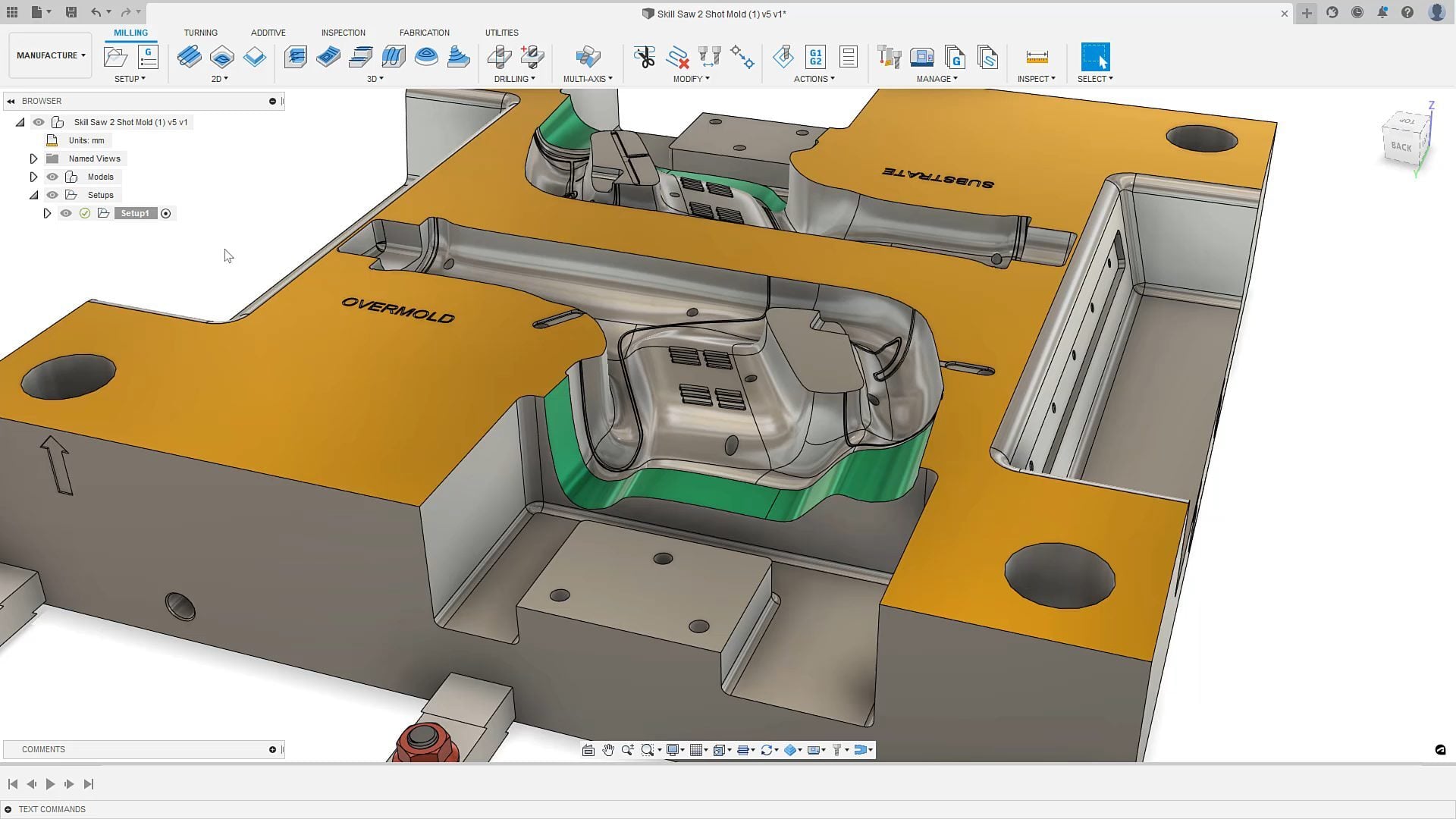
Program mills, lathes, and multi-axis toolpaths directly against the same 3D model you designed in, so a design change updates the toolpath instead of breaking it.
Generative design and AI
Autodesk Assistant answers questions in context, and generative design explores thousands of variations against your load cases and material constraints.
Simulation before you cut
Validate stress, thermal, and motion behavior before a part reaches the machine, catching failures on screen instead of on the shop floor.
Electronics and PCB design
Design the enclosure and the circuit board in the same project, with mechanical and electrical teams working from one connected data set.
Cloud collaboration built in
Version history, real-time comments, and shared access mean the whole team works from the current design, not an emailed file.
A path off HSMWorks
HSMWorks support ends in 2028. Fusion's CAM tools cover the same milling and turning workflows, with DSI handling the training and setup.
Key capabilities
- One connected model: Design, simulation, CAM, and PCB layout live in a single file, so downstream teams always work from the current version, not a stale export.
- Milling, turning, and multi-axis CAM: Generate toolpaths for 2.5 to 5-axis milling and turning directly in Fusion, with an optional Machining Extension for simultaneous 5-axis and advanced strategies.
- Cloud data management: Automatic version history and shared project access replace manual file naming and email attachments.
- Generative design: Set load cases, materials, and constraints, and generative design returns manufacturable options ranked by weight, cost, and performance.
Is Fusion right for your team?
| Best for | Cloud-connected CAD, CAM, simulation, and PCB design for teams that want design and manufacturing in one file |
|---|---|
| Platform | Web browser and Windows/Mac desktop client |
| Included toolsets | CAD, CAM (mill/turn/multi-axis), CAE simulation, generative design, and PCB/electronics design |
| File format | Native Fusion cloud format, with STEP, IGES, DWG, and DXF import/export |
| Licensing | Annual or multi-year subscription, with optional Extensions (e.g. Machining Extension for advanced multi-axis CAM) |
| From DSI | Deployment help, certified training, and local technical support included |
Hear from our customers
Being able to reach out to DSI and get help from them just made it that much easier, and gave me confidence.AJ Tucker, CNC Custom Parts Manufacturing
David and AJ worked for years at a Utah-based machine tool distributor before founding CNC Custom Parts Manufacturing, giving them hands-on experience across a wide range of 3D design and CNC programming software. Once they got a taste of integrated CAD and CAM, plus training and support from DSI, they added a second seat and the Machining Extension for simultaneous 5-axis programming within a few weeks.
A subscription is just the start
Buy Fusion through DSI, an Autodesk Platinum Partner. Get deployment help, certified training, and support from specialists who use the software every day.

Get trained on Fusion
Frequently asked questions
What is Autodesk Fusion used for?
Fusion combines 3D CAD, CAM, CAE simulation, and PCB design in one cloud-connected platform. Machine shops, product designers, and engineering teams use it to move from a model straight to a toolpath or a manufacturable design.
Is this the same as Fusion 360?
Yes. Autodesk renamed Fusion 360 to Autodesk Fusion in 2026. The software and your existing licenses carry over; only the name changed.
I use HSMWorks for CAM. Do I need to switch?
Autodesk is ending HSMWorks support in 2028. Fusion's CAM tools cover the same milling and turning workflows, and DSI can walk your team through the migration before support runs out.
Inventor or Fusion: which should I use?
Fusion adds cloud CAD, CAM, and CAE in one app, while Inventor is the desktop tool built for large assemblies and professional mechanical engineering. Many teams use both, and DSI can help you decide.
Does DSI provide training and support?
Yes. DSI is an Autodesk Platinum Partner offering certified training, deployment help, and local technical support.
Get in touch with our team today!
Talk to a DSI specialist about Fusion licensing, bundles, and training built around how your team works.