
CAD built for mold, tool, and die work: model complex surfaces, split core and cavity, design EDM electrodes, and turn scan data into usable CAD geometry, all before the job reaches PowerMill.
- Autodesk Platinum Partner
- 30+ years in business
- US & CA support
Get from imported model to machinable tool faster.
PowerShape combines surface, solid, and mesh modeling in one workspace, so you can repair imported geometry, split molds, design electrodes, and reverse engineer scanned parts without switching tools.
- Surface, solid, and mesh modeling in one workspace
- Core and cavity splitting for mold and die work
- Electrode design and manufacture for EDM
- Point cloud and mesh data turned into CAD geometry
What you get with PowerShape
Mold, tool, and die modeling
Split parts into core and cavity, build parting surfaces, and add sliders and inserts with tools built for tooling work, not general CAD.
Import, analyze, and repair
Read data from any major CAD system, find problems in imported geometry, and fix faults before they cause downstream failures.
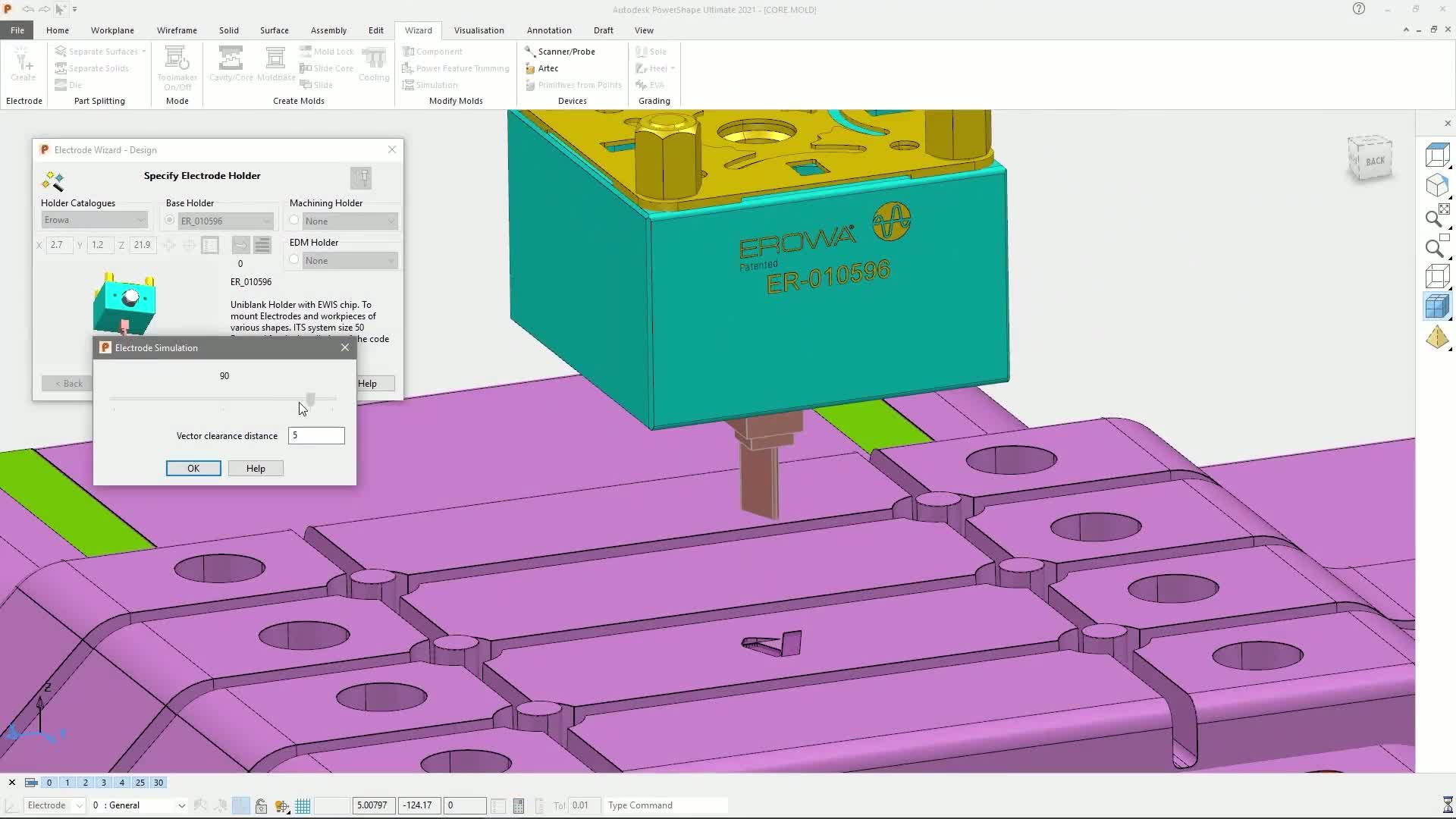
Electrode design wizard
Build EDM electrode geometry with clearance, spark gap, and holder attachment set automatically, then hand it straight to PowerMill.
Reverse engineering
Convert CMM point cloud data and STL mesh models into precise surface and solid geometry to rebuild damaged molds, dies, and complex parts.
Flexible surface modeling
Create smooth shut-outs, split faces, and tangential capping surfaces on complex geometry with dedicated surfacing tools.
Shared Views collaboration
Share engineering data with mold designers and machine operators from the same model, without exporting or converting files.
Key capabilities
- Core and cavity splitting: Split a solid or surface model into core, cavity, sliders, and internal features, with parting surfaces built to seal correctly.
- Electrode design and manufacture: Design copper and graphite EDM electrodes with automated clearance and spark gap, ready for toolpath programming in PowerMill.
- Reverse engineering from scan data: Turn CMM point clouds and STL scans into editable surface and solid CAD models, useful for damaged tooling and legacy parts with no CAD on file.
- Import, repair, and CAM-ready geometry: Bring in data from any major CAD system, isolate and fix problem geometry, and prepare clean surfaces for machining.
Is PowerShape right for your team?
| Best for | Mold, tool, and die design, electrode design for EDM, and reverse engineering from scan data |
|---|---|
| Platforms | Windows 10 and Windows 11 desktop |
| Included | Autodesk Fusion and Fusion Team included with a PowerShape subscription |
| File format | Native surface, solid, and mesh modeling; imports and repairs all major CAD formats |
| Licensing | Annual or multi-year subscription, single-user or flex tokens |
| From DSI | Deployment help, certified training, and local technical support included |
A subscription is just the start
Buy PowerShape through DSI, an Autodesk Platinum Partner. Get deployment help, certified training, and support from specialists who use the software every day.

Frequently asked questions
What is PowerShape used for?
PowerShape is CAD software for mold, tool, and die design. It handles complex surfacing, core and cavity splitting, EDM electrode design, and reverse engineering scanned or damaged parts into usable CAD geometry.
What is the difference between PowerShape and PowerMill?
PowerShape is CAD: it models, repairs, and prepares geometry, including molds, dies, and electrodes. PowerMill is CAM: it takes that geometry and generates the toolpaths that run the CNC machine. Most mold and die shops use both, in sequence.
Can PowerShape work with scanned or point cloud data?
Yes. PowerShape converts CMM point cloud data and STL mesh models into precise surface and solid CAD geometry, which is useful for reproducing damaged molds, dies, or parts with no CAD on file.
Does a PowerShape subscription include anything else?
Yes. Autodesk Fusion and Fusion Team are included with a PowerShape subscription, alongside PowerShape's own modeling, mold tooling, and electrode design tools.
Is PowerShape a subscription, and how much does it cost?
PowerShape is sold as an annual or multi-year subscription, single-user or with flex tokens. Pricing depends on term and seat count, so talk to DSI for a quote matched to your shop.
Get in touch with our team today!
Talk to a DSI specialist about PowerShape licensing, bundles, and training built around how your team works.